
Payment requests
Learn how Volley payment requests help you accept payments directly from a customer's bank.
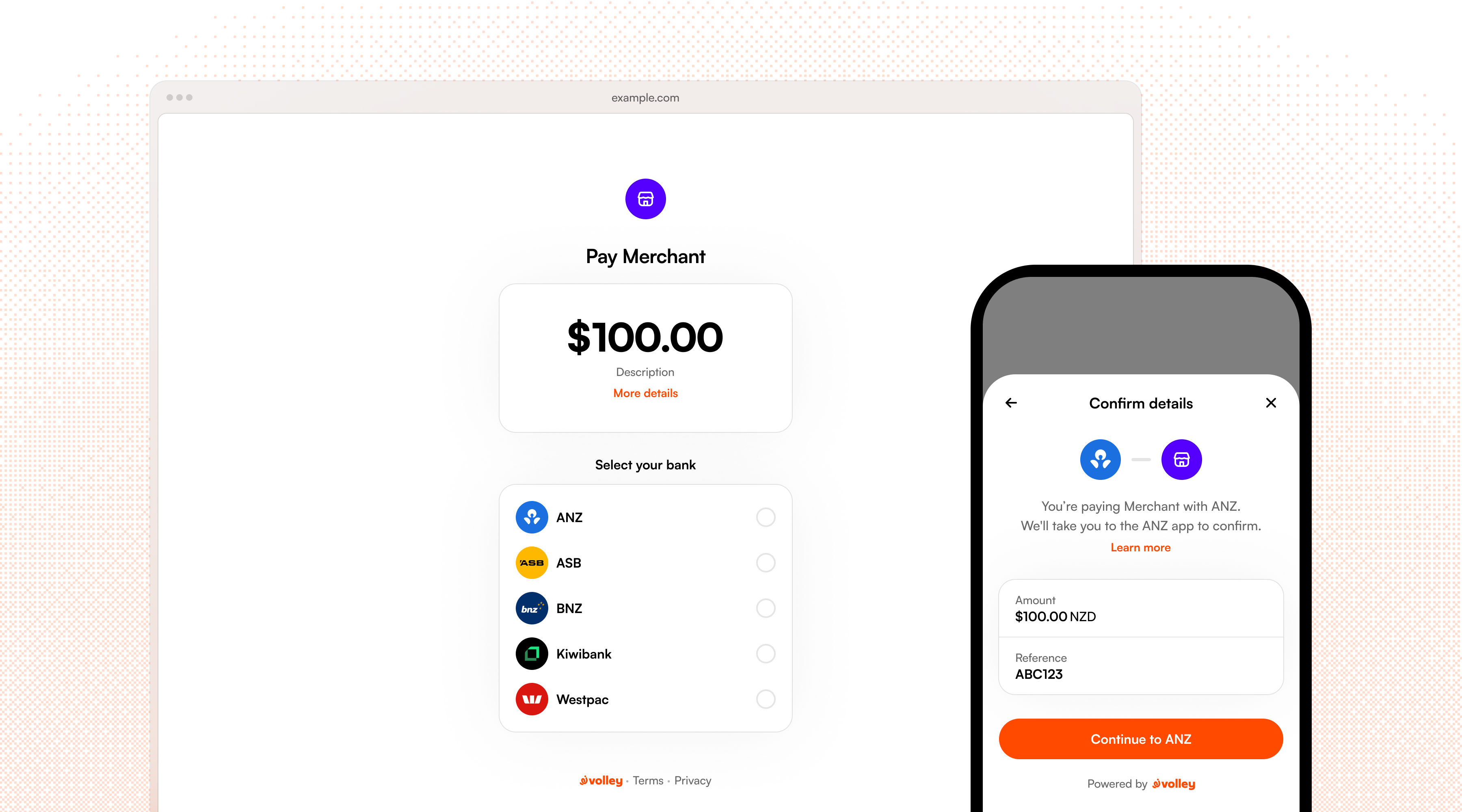
The core model of Volley's API is the payment request. Payment requests are built on a flexible model and allow you to take many kinds of payments, for instance you can:
- Request a fixed amount from one person for a specific transaction, e.g. an invoice, a checkout purchase, or an in-person service.
- Let a customer pay whatever they choose with flexible amounts.
- Create a re-usable link or QR code that many people can pay or donate to.
- Collect a customer's contact details or shipping address as an optional or required step during payment.
- Allow a customer to opt-in to multiple payments over time using recurring payment requests.
- Add a surcharge to cover the cost of payment processing.
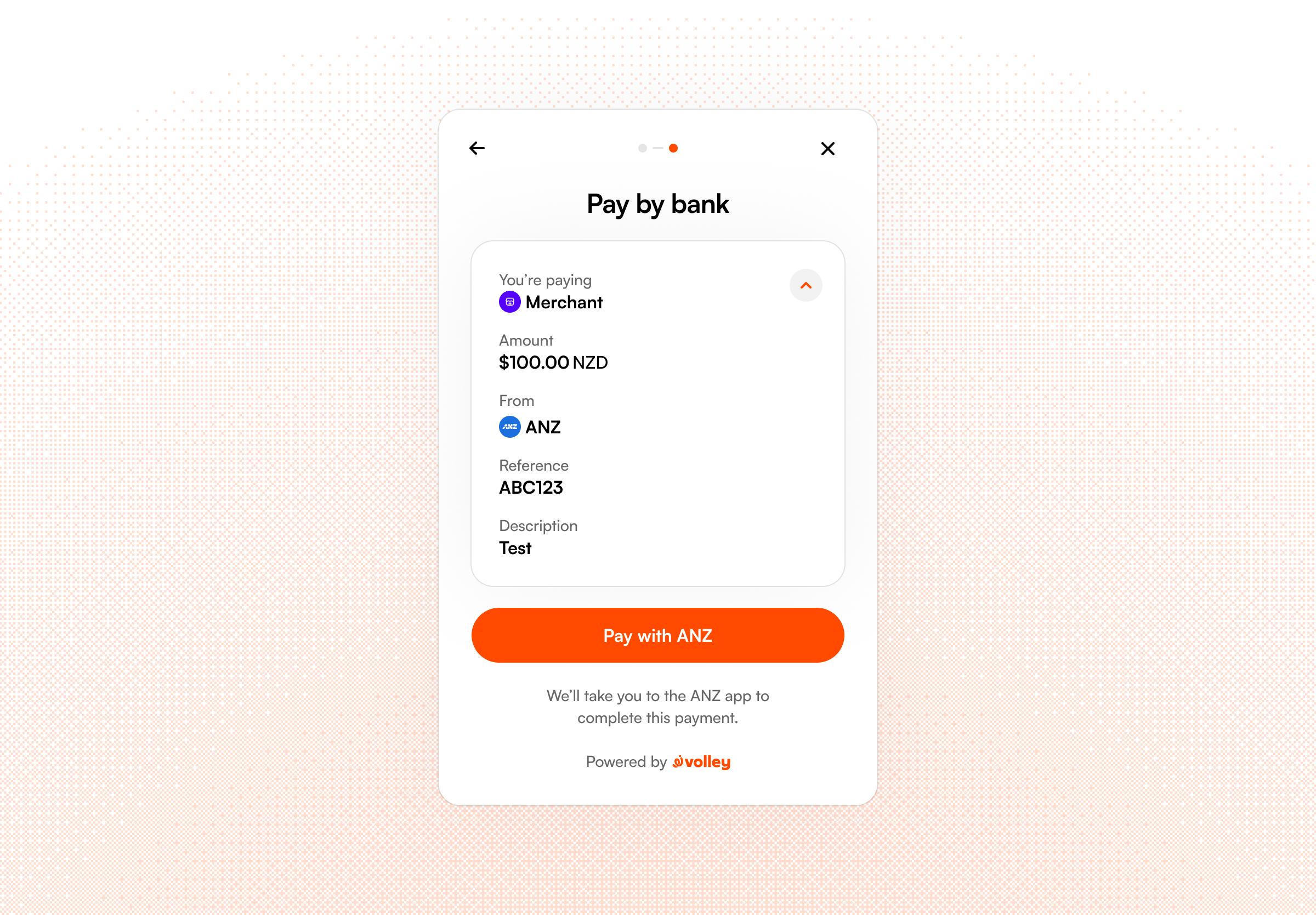
For all types of payment request, your customer will approve the payment quickly and securely through their bank app or internet banking. Our API makes it simple to define the bank account you want to be paid to, the amount to pay, reference details for the bank statement, and a message to help customers see what it is they're paying for.
How it works
- Create a request. Call the Volley API with the bank account that will receive funds, the amount, and an optional reference. Volley returns a payment request with an unique
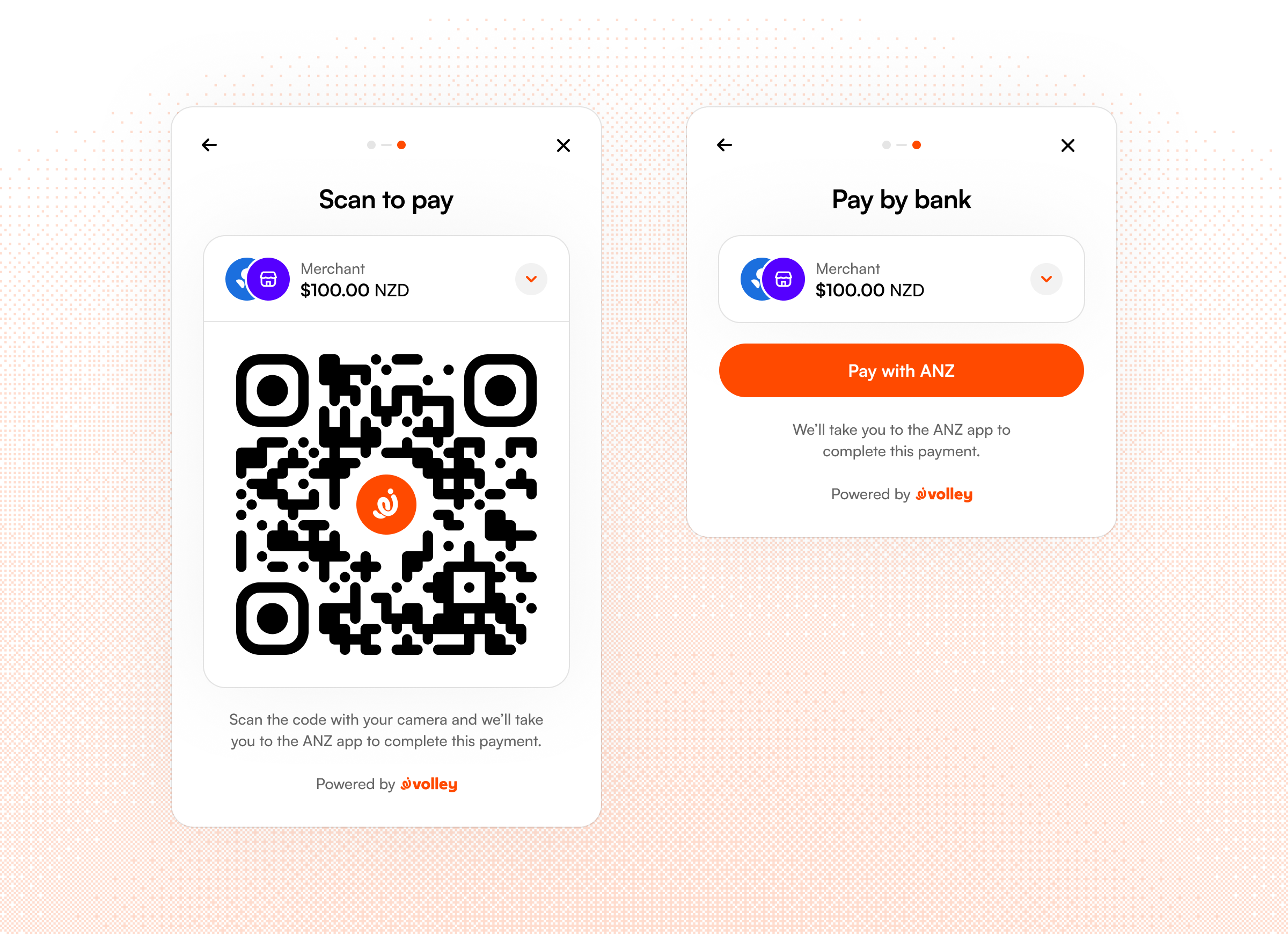
idandurl. - Present it to your customer. Use one of our UI options (QR code, hosted, embedded) to share or redirect your customer to the request,
- Customer approves. They select their bank and are redirected to their bank app to and approve or decline the payment.
- Get the result. Volley will redirect a customer back to your app on completion, or you can poll or subscribe to webhooks to get notified once payment is made.
Creating your first request
Send a POST to /v1/requests with your API key included as a Bearer Token:
curl -X POST https://api.volley.nz/v1/requests \
  -H "Authorization: Bearer $VOLLEY_API_KEY" \
  -H "Content-Type: application/json" \
  -d '{
    "bank_account_id": "bankaccount_xxx",
    "amount": "50.00 NZD",
    "message": "Invoice #123",
    "type": "single",
    "reference": "REF123",
    "merchant_identifier": "37436c2350b34586bde2c13128920b24"
}'| Field | Description |
|---|---|
bank_account_id | The account which you'll be paid into. |
amount | Fixed amount up to a maximum of $5000.00, e.g. "10.00 NZD". |
message | A short message to describe the payment (max 60 characters). |
reference | Reference for bank statement, see PCR Fields. |
type | "single" for one payment, "multi" for multiple payments. |
See the API Reference for the full list of parameters.
{
  "request": {
    "id": "request_Dr9...",
    "url": "https://app.volley.nz/pay/Dr9...",
    "status": "new",
    "type": "single",
    "message": "Invoice #123",
    "amount": {
      "value": "50.00 NZD",
      "formatted": "$50.00"
    },
    "bank_account_id": "bankaccount_5az...",
    "user_id": "user_PB3CbjbM8xdCNALUlC5JQ",
    "merchant_identifier": "37436c2350b34586bde2c13128920b24",
    "logo_image_url": "https://storage.googleapis.com/volley-user-images-.../upload_OtLY5EsbyCnMBJc9wgOmL",
    "pcr": {
      "particulars": "",
      "code": "",
      "reference": "REF123"
    },
    "min_payment_amount": 50,
    "max_payment_amount": 1000000,
    "is_test_mode": false,
    "is_donation": false,
    "add_surcharge": false,
    "surcharge_optional": false,
    "allow_dynamic_amount": false,
    "allow_marketing_opt_in": false,
    "collect_customer_phone": false,
    "require_customer_phone": false,
    "require_customer_basic_info": false,
    "require_customer_address": false,
    "created_at": "2026-08-15T21:59:05Z",
    "updated_at": "2026-08-15T21:59:05Z"
  }
}
Volley responds with the created request wrapped in a request object. The id is what you pass to the web embed or SDK, and url is the hosted payment page:
| Field | Description |
|---|---|
request.id | Pass this to the embed SDK as requestId. |
request.url | Hosted payment page for the request. |
request.status | See request status and lifecycle. |
request.amount.value | Normalised amount, e.g. "50.00 NZD". |
request.amount.formatted | Display string, e.g. "$50.00". |
request.pcr | Particulars, code and reference for the bank statement. |
request.min_payment_amount / max_payment_amount | Payment bounds in cents. |
Request status and lifecycle
| Status | Description |
|---|---|
active | The request is live and can accept payments. |
paid | The request has received all expected payments (e.g. a single request with one successful payment). |
expired | The request has passed its expiry date and can no longer accept payments. |
deleted | The request was deleted. No new payments are allowed. |
Request expiry can be set with expiresIn parameter (e.g. "expires_in": "10m") when creating a request, and Volley will automatically disable further payments after this time. We recommend setting expiry to a minimum that's reasonable for your use case to avoid the chance of receiving payments beyond what is expected, e.g. 15 minutes for an e-commerce checkout, or 1 month for a request attached to an invoice.
One-off and reusable requests
Payment requests can be either one-off, where only one payment is accepted, or reusable, where the same request can be paid any number of times by different customers.
Reusable requests are perfect for things like charity donations, fundraising, collecting fees or subs, or any other scenario where multiple customers pay the same amount for the same product or service.
To setup a reusable payment, include "type": "multi" in your request:
{
  "bank_account_id": "bankaccount_ZYm2YeJXZ8Vzx3jjMLyp6",
  "message": "Ticket",
  "type": "multi",
  "amount": "10.00 NZD"
}
Multi requests do not transition to the "paid" status after the first payment is made, instead remaining active so additional customers can use it to pay. Each payment against a request is tracked as its own unique payment ID and it's own status.
Flexible amounts
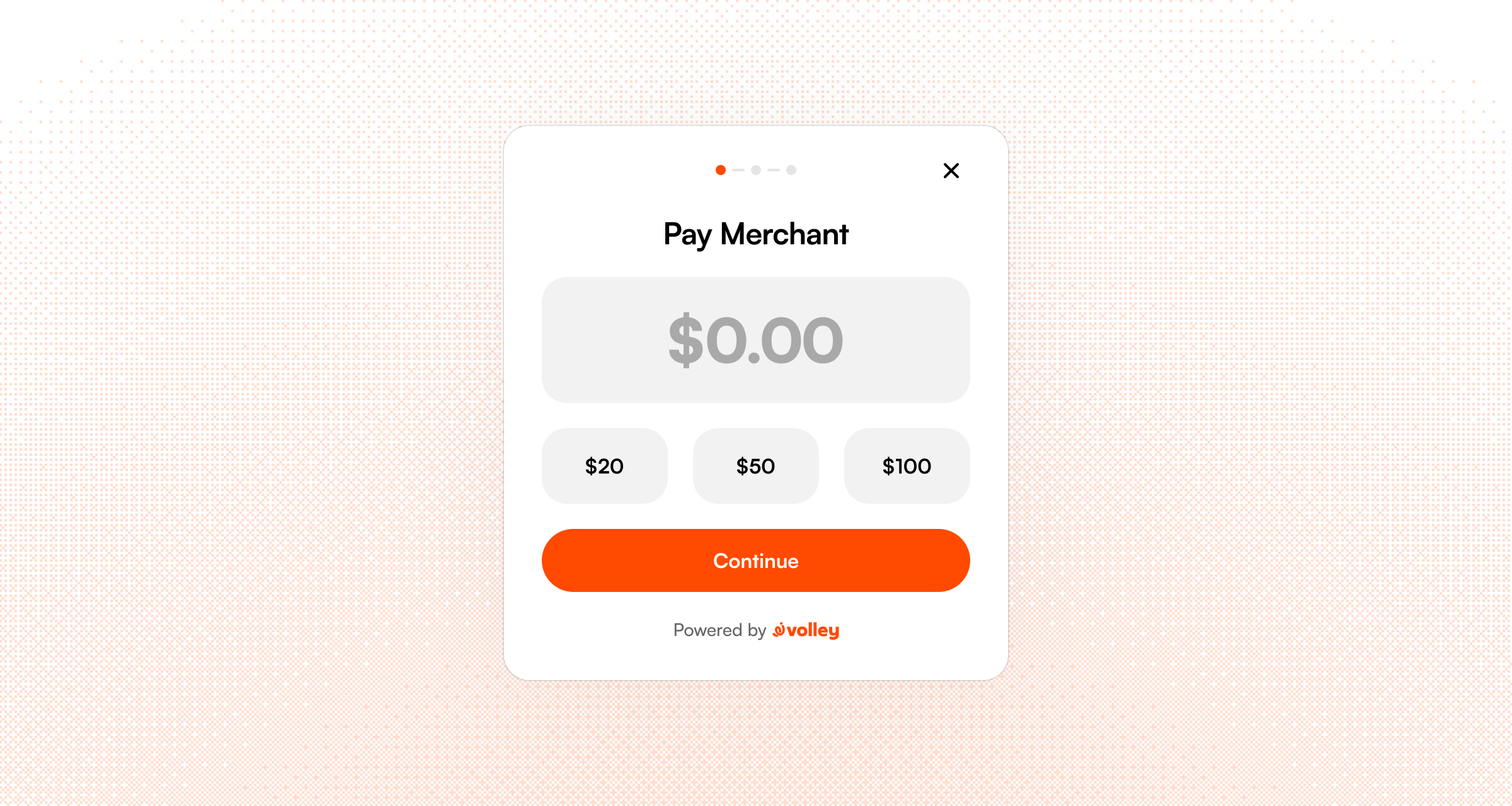
Volley requests can be for a fixed amount or you can let the payer choose how much they'll pay. This is ideal for donation use cases, where multiple donors can use the same QR code or link but each choose their own amount to donate on their device.
To setup a dynamic amount request you can set "allow_dynamic_amount": true on a request:
{
  "bank_account_id": "bankaccount_ZYm2YeJXZ8Vzx3jjMLyp6",
  "message": "Ticket",
  "type": "multi",
  "allow_dynamic_amount": true,
  "suggested_amounts": "10,20,50,100,200"
}
Dynamic amount requests can also have suggested amounts to make it quick to donate. You can include these by passing a comma-separated list of amounts as a string, e.g. suggested_amounts: "10,20,50,100,200".
Collecting customer details
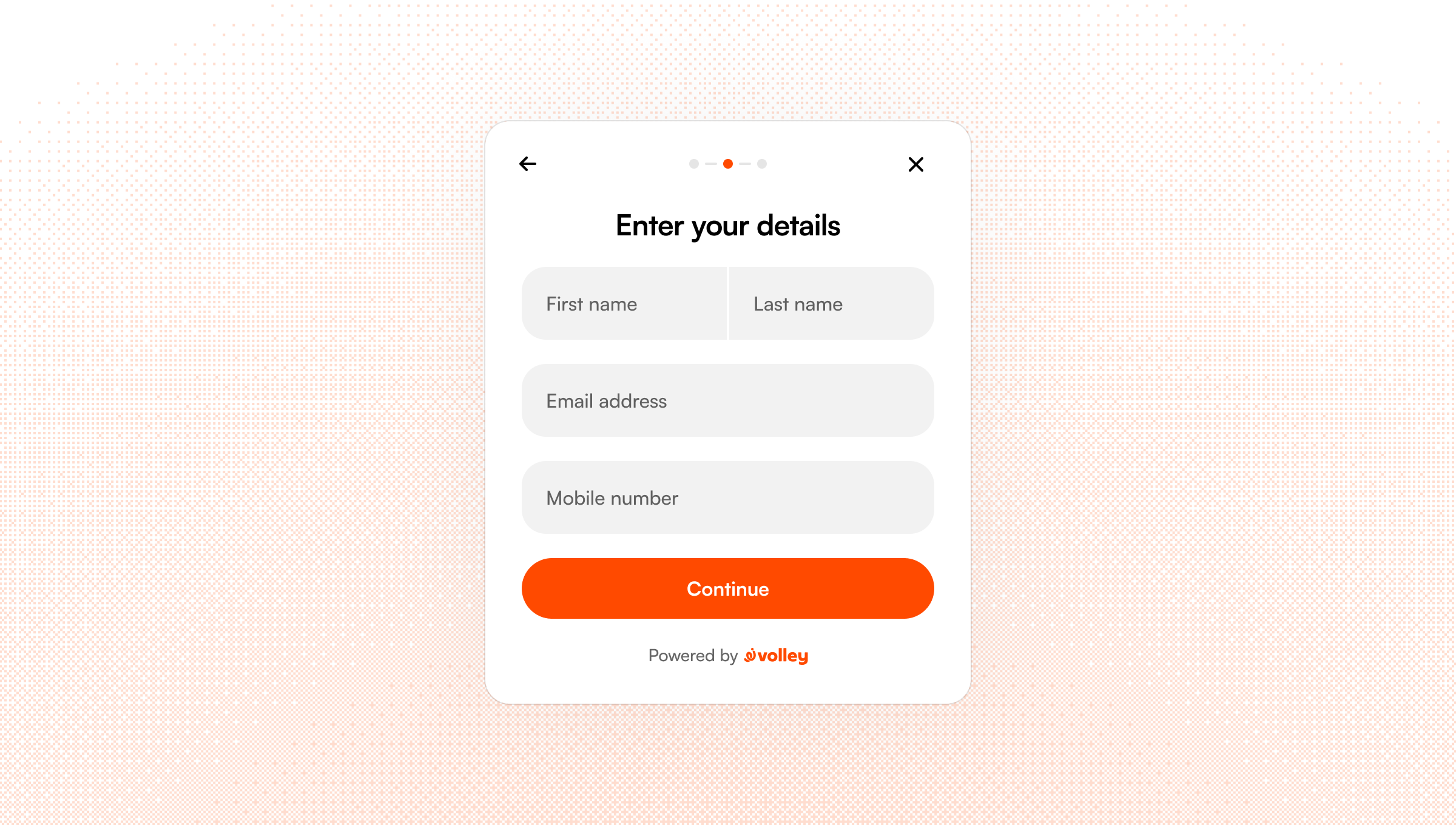
Volley requests can take contact or address details from your customer before payment is made. This is useful for event ticketing and charitable donations where you need to know where to send a ticket or a receipt.
The options available are granular to let you determine exactly what is required for payment, see all available options below.
{
  "bank_account_id": "bankaccount_ZYm2YeJXZ8Vzx3jjMLyp6",
  "message": "Ticket",
  "amount": "20.00 NZD",
  "type": "multi",
  "require_customer_basic_info": true,
  "collect_customer_phone": true,
  "require_customer_phone": false,
  "require_customer_address": true,
  "allow_marketing_opt_in": true
}| Field | Description |
|---|---|
require_customer_basic_info | Require the customer's email address and name before payment. |
collect_customer_phone | Show a phone number field so the customer can optionally provide it. |
require_customer_phone | Require the customer's phone number before payment. |
require_customer_address | Require the customer's postal address before payment. |
allow_marketing_opt_in | Show a marketing opt-in checkbox before payment. |
Volley can also be configured to send tax-credit donation requests to payers automatically on your behalf. Get in touch if you'd like to use this feature.
Particulars, code and reference
The New Zealand banking system has three text fields used for providing payment references and other identifiers: particulars, code, and reference, collectively referred to as the "PCR" fields.
These are included on the bank statement lines for both the payee and the payer bank accounts when a payment is made to help with customer identification and reconciliation.
Volley uses the particulars and code fields, and you can optionally use the reference field when creating a payment request. The particulars and code can be made available for your application if needed, please get in touch if you require this for your use case.
| Field | Description |
|---|---|
| Reference | Free text, you can provide anything matching [a-zA-Z0-9-]{0,12}. |
| Particulars | A unique payment identifier set by Volley. In the form V-XXXXXX. |
| Code | Always set to "Volley" to help payers identify how this payment was made. |
Test mode
Volley provides a fully-featured test mode which allows you to create a realistic test environment for your app, using real bank apps to simulate a payment. When using test mode, all payments are overriden to $0.01 and paid to a dedicated test bank account owned by Volley rather than to your business account. We'll configure this test bank account for you during onboarding.
You can create test mode payment requests by using a test environment API key.
Test mode requests can have payments made by any of our supported banks and a "sandbox bank" labelled on the request page as “API Centre”. The sandbox bank lets you quickly the payment flow without needing to use a real bank app. You can access the sandbox with the following credentials:
- Username: user01
- Password: Any password.
Test amounts
When in test mode, you can create a payment request for specific "magic" amounts to simulate different failure scenarios.
| Amount | Test scenario |
|---|---|
| 67.80 | Any payment made for this request will fail at the callback stage. Payment status is set to failed. |