
Web embed
Use our pre-built components to add Volley payments directly on your website.
Volley's web embed lets you accept payments directly on your website without redirecting customers away. Add our JavaScript SDK to your page, and Volley renders a payment modal right in your checkout flow - handling bank selection, approval, and confirmation without the customer ever leaving your site.
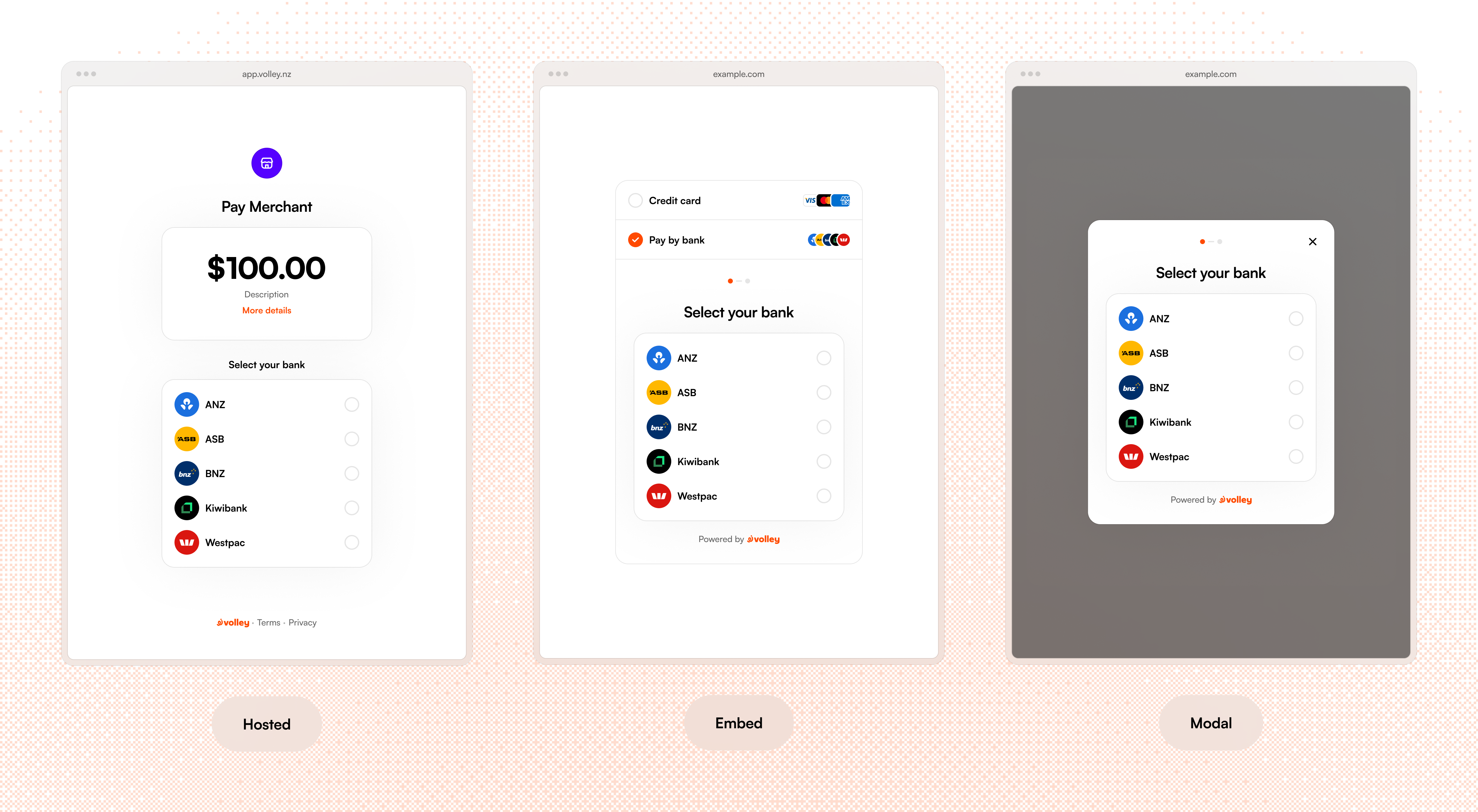
Try it out
Click the button below to open the embed and make a $1.00 donation to Canteen Aotearoa
Using the embed on your webpage
Add the Volley SDK to your page by including the script tag:
<script src="https://app.volley.nz/js/v1/volley-checkout.js"></script>Then create a checkout instance by passing in the requestId from a payment request you've already created server-side.
// createCheckout returns the instance immediately - nothing is rendered until
// you call open() or mount(), and the checkout shows its own loading state
// until the request has loaded.
const checkout = Volley.createCheckout({ requestId: "request_qTVSdEszuE9jfpTQaJ3j7" })

// Call open to open the embed as a modal over the page
checkout.open()

// Or call mount to show the checkout within the page in an element you control
checkout.mount("#checkout-container")
Pre-selecting a provider
If you already know which bank your customer uses or you did bank selection in your own UI, you can skip the bank selection step by passing a provider:
// provider can be any of: "anz", "asb", "bnz", "kiwibank", or "westpac".
const checkout = Volley.createCheckout({ requestId: "request_qTVSdEszuE9jfpTQaJ3j7", provider: "asb" })
Handling a payment result
const checkout = Volley.createCheckout({
  requestId: "request_qTVSdEszuE9jfpTQaJ3j7",

  onSuccess({ payment_id, request_id }) {
    // Payment completed - show a confirmation, redirect, or update your UI
  },

  onCancel() {
    // Customer closed the checkout without completing payment
  },

  onError({ payment_id, request_id }) {
    // Payment failed - show an error state or offer a retry
  },
})

checkout.open()
All three callbacks are optional, but we recommend implementing at least onSuccess and onError so you can update your UI immediately if necessary. For payment verification, don't rely solely on these client-side callbacks - always confirm the payment status server-side using the API and/or webhooks.
Cleaning up
When you no longer need the checkout on the page, call destroy() to remove it from the DOM entirely. After calling destroy(), the instance can't be reused - call Volley.createCheckout() again if you need a new one.
checkout.destroy()Setting an allowed domain
Before you can use the embed on your webpage you need to configure the domain you will be hosting it from as an allowed domain in the Volley Dashboard.
The Volley embed renders inside an iframe on your page. For security, Volley only allows the iframe to load your requests on domains you've explicitly approved. Any embed attempts from an unlisted domain will be blocked by the browser. Because Volley ties allowed domains to your account, your payment requests can only ever appear on websites you control - if a request ID is leaked or guessed, it can't be embedded elsewhere.
Embedding the iframe without our SDK
If your site's security policy restricts third-party JavaScript, or you'd rather control the embedding experience yourself, you can skip the SDK and directly call the checkout iframe.
You'll need to handle positioning it on the page (and rendering a backdrop if you want a modal-style overlay), building the request URL, mounting the iframe, and listening for postMessage events.
Building the checkout URL
Point the iframe's src at https://app.volley.nz/checkout/v2 with the request ID and options as query parameters:
function buildCheckoutUrl({ requestId, provider, display }) {
  const params = new URLSearchParams()
  params.set("request_id", requestId)
  params.set("display", display)
  if (provider) params.set("provider", provider)
  return `https://app.volley.nz/checkout/v2?${params.toString()}`
}| Parameter | Required | Description |
|---|---|---|
request_id | yes | The ID of a payment request created server-side. |
display | yes | modal if you're rendering the iframe as an overlay with a backdrop, or embed if it lives inline within your page layout. |
provider | no | Skip bank selection by pre-selecting one of anz, asb, bnz, kiwibank, or westpac. |
Listening for events
The iframe communicates with your page via window.postMessage. Attach a listener and dispatch on the message type:
const expectedOrigin = "https://app.volley.nz"

window.addEventListener("message", (event) => {
  if (event.origin !== expectedOrigin) return
  if (event.source !== iframe.contentWindow) return

  const { type, ...data } = event.data ?? {}
  switch (type) {
    case "volley.ready":
      // Checkout has loaded and is ready to display
      break
    case "volley.resize":
      // Content height changed - resize the iframe to match
      iframe.style.height = `${data.height}px`
      break
    case "volley.error_state":
      // data.hasError indicates whether checkout is showing an error screen
      break
    case "volley.payment_successful":
      // data.payload contains { payment_id, request_id }
      break
    case "volley.payment_cancelled":
      // Customer cancelled the payment
      break
    case "volley.payment_failed":
      // data.payload contains { payment_id, request_id }
      break
    case "volley.load_failed":
      // The iframe couldn't load the request
      break
    case "volley.close_modal":
      // Customer dismissed the checkout - tear down your iframe and backdrop
      break
  }
})
Always verify event.origin matches Volley's origin before trusting a message, and check event.source against the specific iframe you're hosting so messages from other iframes on the page can't be confused for checkout events.
As with the SDK, treat these client-side events as UI hints only and confirm payment status server-side via the API and/or webhooks.