
Recurring payments
Collect multiple payments on your own schedule from a single authorisation.
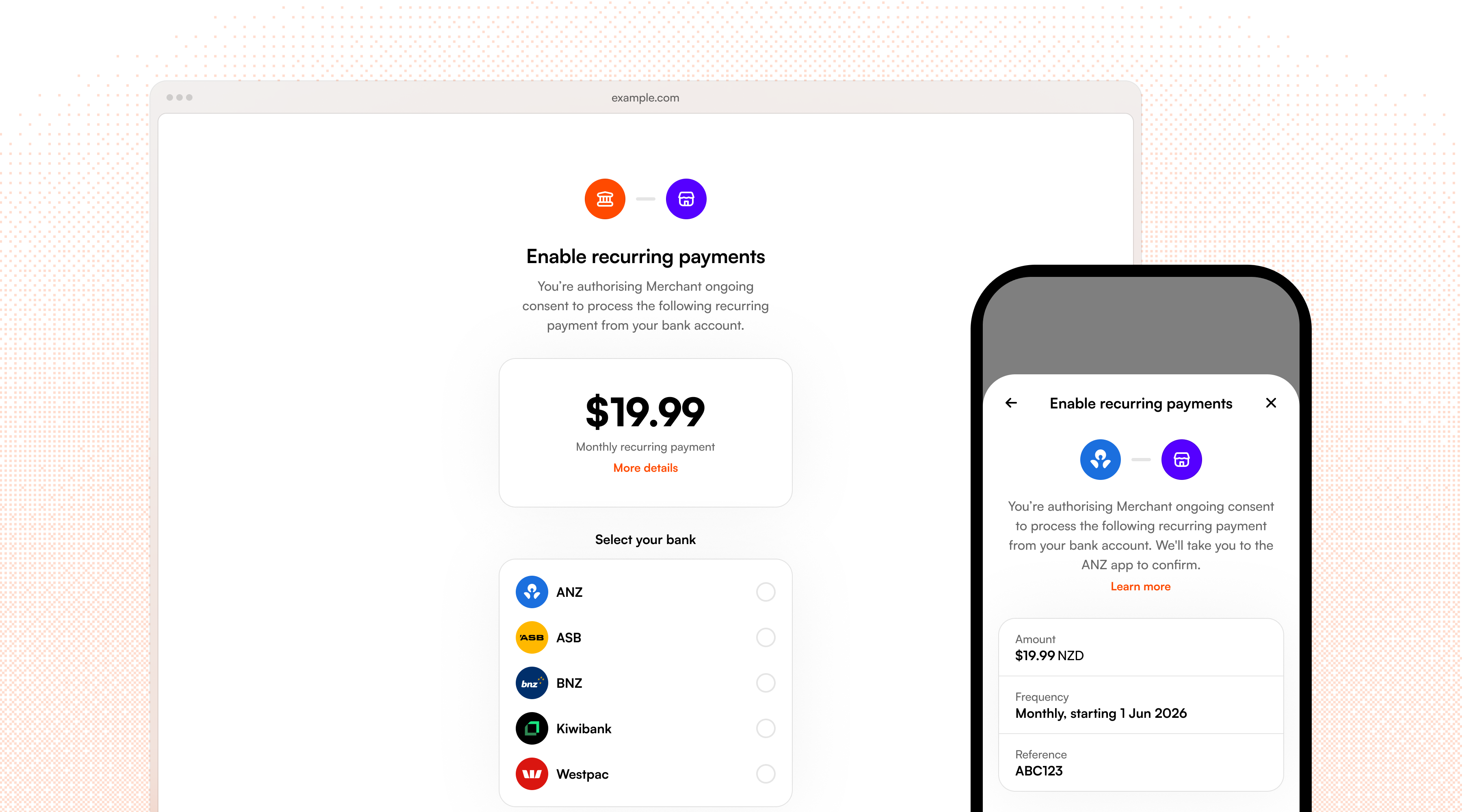
Recurring payments let you collect multiple payments from a customer all from a single authorisation in their bank. Each recurring payment stores a customer's payment authorisation so you can charge them again later without re-approval (within pre-agreed limits).
Recurring payments via open banking are a modern alternative to having a credit/debit on file or setting up a direct debit authorisation. You decide when to charge and how much, so it's ideal when the amount or timing varies, like with usage-based billing, pay-as-you-go top-ups, repeat checkouts, or any scenario where you need to pull funds on your own schedule.
If you're looking to collect a fixed amount on a regular schedule without managing the billing cycle yourself, use our Subscriptions API instead.
Recurring payment setup works just like a one-off payment, where you create a payment request and the customer authorises it at their bank. The difference is that instead of approving a single charge, the customer approves ongoing payments to you within certain limits (e.g. "up to $50 per month"). Once authorised, you can charge any amount within those limits via our API with no further customer interaction.
Recurring payment types
Volley currently supports two types of recurring payment:
- Merchant-initiated (explained in this guide) — your server stores the consent token and calls the Volley API to execute payments whenever you need to. The customer doesn't need to be present, making this ideal for subscriptions, scheduled billing, or usage-based charges.
- Customer-initiated — the customer approves each payment themselves using biometrics, after previously connecting their bank. No server-side integration is required on your end.
Create a recurring payment request
Create a recurring request by calling POST /requests including the recurring_options block in place of a fixed amount.
{
  "bank_account_id": "bankaccount_ZYm2YeJXZ8Vzx3jjMLyp6",
  "message": "Pro plan",
  "type": "single",
  "recurring_options": {
    "period": "monthly",
    "max_per_payment": "150.00 NZD",
    "max_per_period": "500.00 NZD"
  },
  "cust_info": {
    "email": "jack@volley.nz"
  }
}{
"request": {
"id": "request_qTVSdEszuE9jfpTQaJ3j7",
// ...
"status": "active",
"url": "https://app.volley.nz/pay/qTVSdEszuE9jfpTQaJ3j7",
"recurring_options": {
"period": "monthly",
"max_per_payment": "150.00 NZD",
"max_per_period": "500.00 NZD",
"end_date": "2027-01-01T00:00:00Z"
}
}
}As with one-off payments, you can redirect the customer to the returned url to have them authorise it via the hosted page.
Recurring payment requests are currently only supported for a single customer approval, i.e. "type": "single".
Recurring options
| Field | Required | Description |
|---|---|---|
period | Required | The window over which period limits apply to, currently supports daily, weekly, or monthly. |
max_per_period | Required | The maximum amount that can be charged during the period. A max_per_period of "50.00 NZD" with a monthly period means no more than $50 per month. Set this to a limit your customer would recognise as safe and reasonable for the payments you typically make. |
max_per_payment | Optional | The maximum charge for any single payment. For a fixed subscription (e.g. $19 a month), set this as assurance of what the customer will pay. |
total_count | Optional | A cap on the total number of payments, useful for instalment payments, e.g. 6 payments of $300. |
total_amount | Optional | A cap on the total value of all payments. |
end_date | Optional | The date after which no further payments can be taken. |
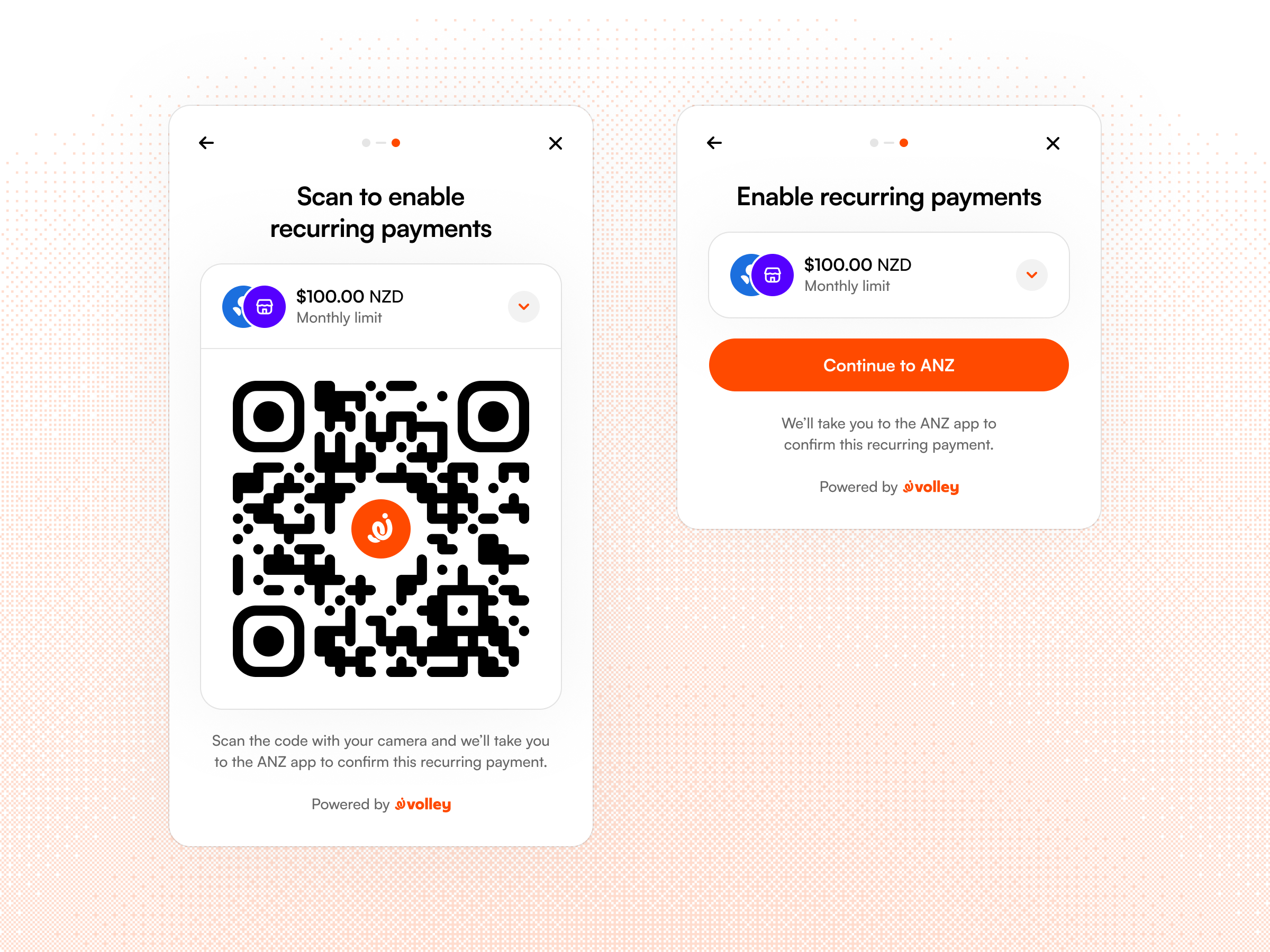
Customer info
When setting up a recurring payment, you must also pass customer identification details to Volley. At minimum, a verified email address is required. Volley uses this email to give your customer access to the consent management dashboard and to send any regulatory communications about their recurring payment.
If you already handle these communications in your own system, you can opt out of Volley sending them. Get in touch to discuss this option.
Receive a consent token
When a customer approves your recurring request, Volley sends a recurring_payment.authorised webhook containing a token. Store it against the customer in your database — it's how you charge them, and it must be included in every payment you execute.
{
  "type": "recurring_payment.authorised",
  "data": {
    "id": "request_nHO4BFIEpuGcyHlUlVGa1",
    "status": "active",
    "merchant_identifier": "e098a9a01f4249e9948cf5ab701d1480",
    "token": "U5KFvqL0wMHJYpRZxzPgT:Bnv-rXSahn3wzC1QGAxYjBfdr8brm22tT5KqGmtgu70"
  }
}
Keep this token secret as it can be used (when paired with your API key) to move funds from your customer to your bank account. Store it securely on your server and never expose it in client-side code. We recommend encrypting the token for storage in your database with the encryption key stored seperately in an appropriate secret manager or specialised key manager (e.g. Secret Manager or KMS on GCP or AWS).
Execute a payment
To charge the customer, call the POST /v1/payments, providing the token and an amount. Both Volley and the customer's bank will check that this payment will not exceeed the pre-agreed limits before the payment is executed.
Payments are execute synchronously, the result will be returned in the response, and also triggers a payment.status_updated webhook.
{
  "token": "U5KFvqL0wMHJYpRZxzPgT:Bnv-rXSahn3wzC1QGAxYjBfdr8brm22tT5KqGmtgu70",
  "amount": "49.99 NZD",
  "idempotency_key": "02aabe16d1:inv_456:4999NZD",
  "reference": "Invoice #456",
  "merchant_identifier": "02aabe16d1554a9abf288947bc0a04f2"
}
reference and merchant_identifier are optional.
{
  "payment": {
    "id": "payment_E0fhAQcZiIHUdcV2hJ1uR",
    "request_id": "request_3H164LUImn6POa3JaZcIn",
    "provider": "kiwibank",
    "amount": {
      "formatted": "$49.99",
      "value": "49.99 NZD"
    },
    "pcr": {
      "code": "Volley",
      "particulars": "V-WZ43RF",
      "reference": "Invoice #456"
    },
    "is_test_mode": false,
    "status": "successful",
    "completed_at": "2026-05-19T02:09:44Z",
    "created_at": "2026-05-19T02:09:42Z",
    "updated_at": "2026-05-19T02:09:46Z"
  }
}
Idempotency
You must provide an idempotency key to avoid duplicate payments. If Volley receives a retried request with the same key, it will returns the original result instead of creating a second charge. Use a key that's naturally derivable from your own records (e.g. your invoice ID or order ID). This way, if a request fails mid-flight and you retry, you'll produce the same key without having to track it separately.
You can check the returned HTTP status to confirm if a payment was successful performed on a retry: 201 means a new payment was created, 200 means an earlier created payment was returned.
Revoke a recurring payment consent
A recurring payment consent can be cancelled in three ways:
- By the customer through their bank, directly in their bank app.
- By the customer through Volley, using the consent management dashboard at my.volley.nz.
- By you, on behalf of the customer, for example, when a customer cancels through your UI or closes their account. Use the revoke consent endpoint to cancel the consent via the API.
By default, Volley handles consent management for you - your customers can cancel recurring payments anytime through their bank app or the Volley dashboard at my.volley.nz, so you don't need to build any cancellation UI yourself. Of course, if you'd like to also offer this in your own app, you can do so and use the API to revoke consents on the customer's behalf.
Revoke via the API
Call PUT /v1/recurring-consents/{id}/revoke. No other parameters aside from the recurring payment ID are required.
Once it returns, no further payments can be executed against the consent. Any stored consent token on your side can be safely deleted.
Handle customer revocations
Customers manage their consents through My Volley at my.volley.nz. Customers can also revoke a consent themselves directly with their bank.
After logging in with their email address (matching what you registered when creating a recurring consent) they can see all of their recurring payments. Today the only option is to revoke a consent; but we are planning improvements here in the near future - for example, letting customers move their consent to another bank.
There are different failure modes to be aware of based on where a customer revoked their consent:
- If revoked through Volley, you'll receive a
recurring_payment.revokedwebhook. Register for it in the dashboard to keep your records in sync. Any attempts to execute a payment for a revoked consent will fail. - If revoked through their bank, no webhook is sent but the next attempt to execute a payment will fail.
Handle payment failures
Beyond revoked consents, a payment can fail because the bank rejected it - for example, there was insufficient balance or the payment failed the bank's own fraud checks. Handle failed executions gracefully and surface them to the customer where appropriate.